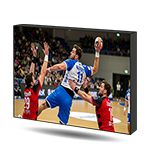
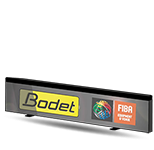
The advertising solution for your sports facilities
VIDEOMEDIA, software for managing advertising spaces
The comprehensive VIDEOMEDIA solution offers a simplified interface to help you develop advertising spaces in your sports facility. Promote your partners and make your video display investments more profitable using our VIDEOMEDIA solution.
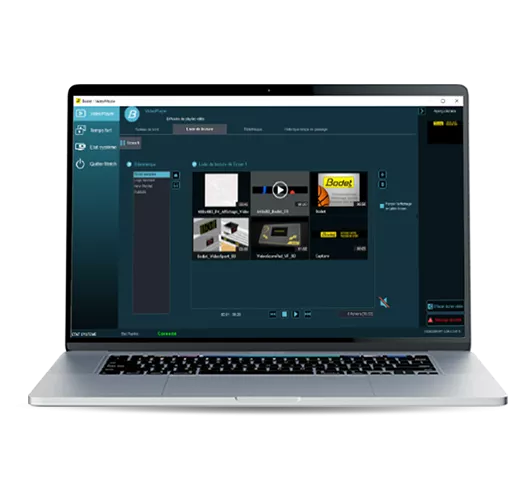

Simplified management of advertising spaces during your matches
With VIDEOMEDIA, broadcast videos, images and advertisements on the LED video supports of your facility (arena, stadium...).
You can display messages while managing the cumulative display time of advertisements by advertiser.
Depending on the type of display media (scoreboards with LED video screen, LED video screens, LCD video screen, perimeter LED screen), it is possible to broadcast different displays on each screen, simultaneously.
Features for optimising the use of your advertising displays

- Graphic organisation of the information to be displayed with the possibility to combine them: messages, images, videos... All information, text or image, such as the logo of the club or the sponsor, can be easily positioned and sized with a single click.
A preview feature allows the user to check the result before final display on the screen (specially if the latter is not visible from the video control system). - Playlist management: It is possible to create a playlist from the software using images or videos available on the computer, USB storage or other supports. A saving feature allows saving the playlist on a dedicated space for further use.
- Match period by highlight: (Before match, half-time, beginning of the match, time-outs, individual fouls, 3 points, player’s presentation, beginning of a quarter).
Unlimited number of highlights with an associated playlist, selection of files for playlist creation with the possibility to modify the order (copy-paste, delete, rename, file or playlist modification functions). It is possible to activate several screens simultaneously with a different content, with a single click. - Cumulative display time: by advertiser, match and file type. This information can be extracted into an Excel® file to be archived and keep a record of the display time of messages and partners for the public.
Product benefits

Customisation
Software suitable for all display formats.

Easy management
An intuitive solution to manage the display of your events on your own.
Required configuration
- Laptop with Intel Core i3 processor or higher.
- Windows 10 operating system as a minimum or higher.
- 1 video output (ex.: HDMI).
- 2 USB* ports:
- 1x for software protection dongle
- 1x for USB drive use (ex.: loading images, videos...)
- 8 GB RAM
- By default, the software is compatible with 32 or 64-bit systems.
- Available languages: French, English, German, Spanish, Finnish
You wish to receive a price offer for the product?
These products may also interest you